This AI Bikini Prompt guide helps you choose colors, materials, and silhouettes for your personal style, from a relaxed vacation photo to a polished swimwear editorial.
Use the prompts as starting points, pair them with suitable references, and refine one detail at a time.
TL;DR: AI Bikini Prompt Guide
Choose a visual direction first: casual, sporty, retro, understated, or bold.
Name the shade and surface finish. “Chocolate brown with a soft satin sheen” gives clearer direction than “luxury bikini.”
Use a swimsuit reference for distinctive straps, hardware, and cuts. State which details should stay and which should change.
Match the scene to the goal: everyday photos need different direction from studio or editorial images.
Inspect the face, straps, seams, and lighting after generation. Keep the strongest result and adjust the specific mismatch.
Before You Start: Build a Clear Bikini Prompt
Start with a look you can describe.
In the AI Bikini Generator, select an adult model or upload an authorized adult photo, then choose a swimwear preset or reference. Add your instructions in Scene & details.
A useful AI Bikini prompt structure is:
What to keep + Bikini cut + Color + Fabric appearance + Setting and lighting + Framing
For example:
Keep the adult person’s recognizable facial features, body proportions, and pose from the person photo. Use the swimsuit reference for the cut and straps. Change the set to deep olive green with a smooth matte finish. Keep the original setting and lighting, with the complete outfit visible.
The person photo guides who appears; the swimwear reference helps define the garment.
Your text explains the requested changes. If a reference shows a shiny red triangle set but you want a matte green bandeau, choose a closer reference or explicitly describe the changes.
Choose Bikini Colors That Match Your Style
Give the look a clear visual direction.
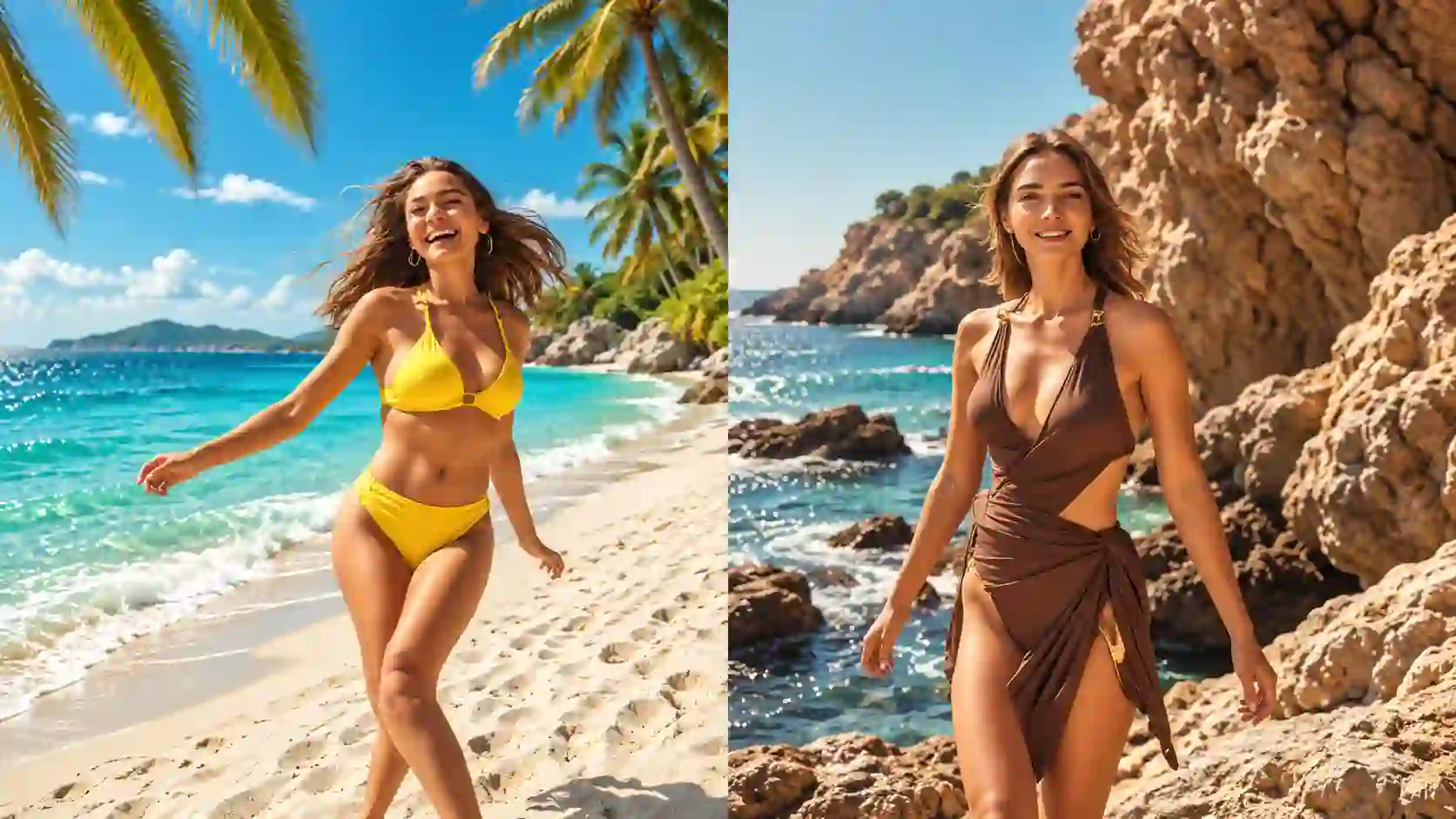
Writing better AI bikini prompts starts with deciding what kind of photo you want, then describing the details that create that look.
Style direction | Colors to explore | Pairing idea |
Clean and understated | Black, ivory, navy | Simple cuts, matte fabric, minimal hardware |
Soft and cheerful | Butter yellow, powder blue, blush | Relaxed styling and natural daylight |
Earthy and refined | Chocolate brown, olive, terracotta | Matte or satin finishes with neutral surroundings |
Bold and polished | Burgundy, emerald, cobalt | A clear color focal point and a restrained background |
Soft Color for a Relaxed Look
For an easygoing vacation mood, combine a pale shade with a familiar silhouette. Specify the shade carefully: butter yellow should read softer than lemon yellow or neon yellow.
Prompt:
Keep the adult person, pose, background, and lighting from the person photo. Follow the swimsuit reference for the bikini cut and straps. Change both pieces to soft butter yellow with a smooth matte finish. Keep the color consistent across the set and preserve the reference’s garment coverage and details.
Try changing: Replace soft butter yellow with powder blue. Compare the color while keeping the rest of the look consistent.
Rich Color for Understated Elegance
Chocolate brown and deep olive work well when you want the palette to feel considered without relying on heavy decoration.
Prompt:
Preserve the adult person’s identity, body proportions, pose, and setting. Keep the bikini shape, strap placement, and hardware from the swimsuit reference. Change only the fabric color to rich chocolate brown. Retain the original fabric texture and use natural color rendering without a strong warm filter.
💡 Color tip:
Say whether you want matching pieces, contrast trim, or different top and bottom colors.
Pick Fabrics That Create the Right Finish
Describe how the fabric catches the light.
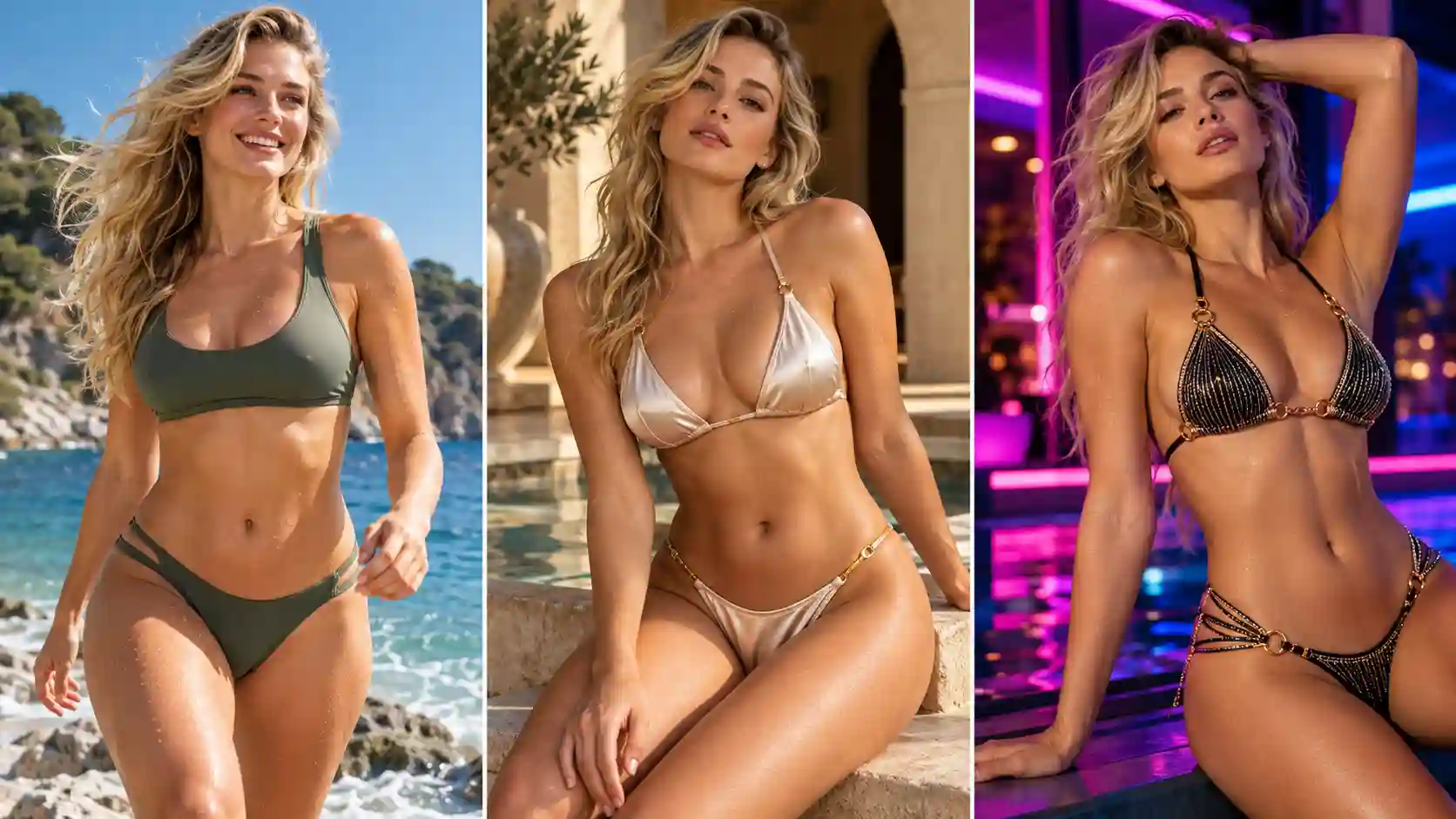
Smooth stretch fabric is a natural starting point for bikini images. Texture is optional. Matte, satin-effect, ribbed, and crinkle describe different surface appearances; they are separate from fiber names such as nylon or polyester.
For image prompts, describe the visible finish. Use product specifications when discussing real-world stretch, support, or durability.
Fabric appearance | Best suited to | Details to describe |
Smooth matte | Minimal, sporty, everyday looks | Flat surface, soft highlights, clean seams |
Satin-effect | Elegant resort and fashion images | Smooth finish, gentle flowing highlights |
Fine metallic shimmer | Statement looks and poolside editorials | Tiny light-catching threads, controlled sparkle |
Tonal jacquard | Subtle, detailed luxury styling | Small woven pattern in the same color family |
Fine ribbing or crinkle | Casual or retro textured looks | Texture scale, direction, and consistency |
Satin-effect swimwear does not have to be silk. For example, Calzedonia’s Shiny Satin bikini uses polyamide and elastane. Similarly, Oséree’s Lumière designs offer a useful reference for fine metallic shimmer.
Smooth Matte for a Clean Finish
Choose this when you want the cut and color to lead the image.
Prompt:
Keep the adult person and the swimsuit reference’s cut, color, straps, and coverage. Render the bikini in smooth matte swimwear fabric with subtle natural folds and neatly finished seams. Keep the existing setting and lighting, with gentle highlights that show the garment shape without a glossy coating.
Satin Sheen for a Refined Look
Champagne, chocolate, and deep jewel tones offer different ways to explore satin-like light reflections. Keep the shine soft enough to preserve the fabric’s appearance.
Prompt:
Preserve the adult person, pose, and background. Follow the swimsuit reference’s shape and straps, changing the fabric to opaque champagne-colored stretch swimwear with a subtle satin sheen. Show smooth, soft highlights following the fabric, delicate seam detail, and natural shading. Avoid mirror-like or plastic reflections.
Fine Shimmer for a Statement Look
Use restrained styling around a sparkling fabric so the swimsuit remains the focal point.
Prompt:
Keep the adult person, pose, and swimsuit silhouette from the references. Use a deep emerald fabric with fine metallic-thread shimmer and an opaque lining. Show tiny, evenly distributed highlights across the material, retaining realistic seams and straps. Preserve the original lighting and background without adding jewelry or extra decoration.
💡 Texture tip:
For ribbed bikini prompts, specify fine vertical ribbing. For jacquard, name a small tonal pattern. Broad instructions such as “heavy texture” can produce a different design from the one you intended.
Choose a Bikini Cut and Control the Details
Define the shape before adding decoration.
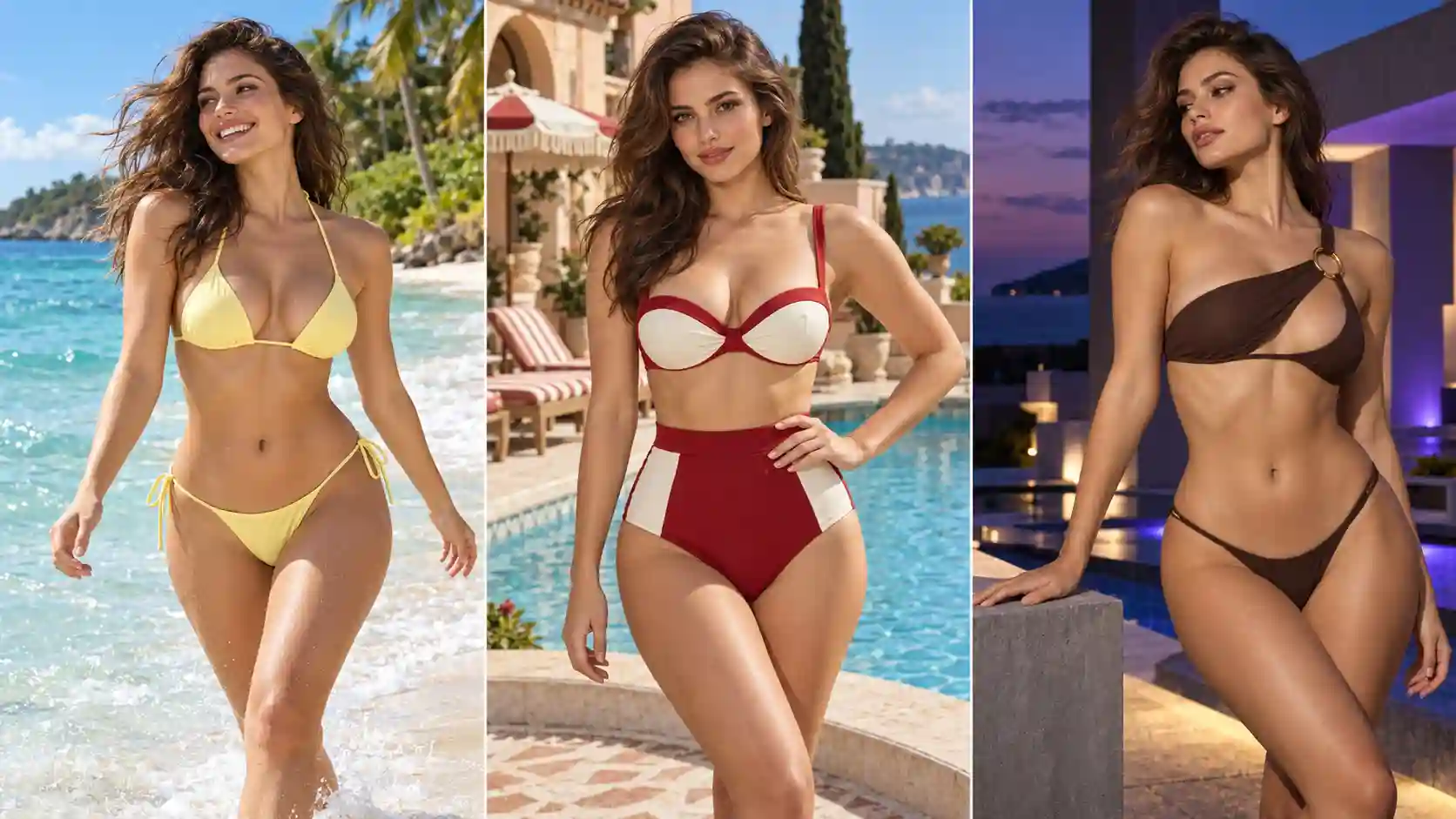
A silhouette can change the character of an outfit as much as its color. Start with a cut that fits your intended style, then refine the construction.
Cut | Style direction | Details worth specifying |
Triangle bikini | Classic beach styling | Cup shape, halter or shoulder straps, tie placement |
High-waisted set | Retro and coordinated | Bottom rise, waistband, top structure |
Bandeau | Minimal and contemporary | Strapless neckline, center shape, gathers |
Sporty zip-front set | Active and practical-looking | Wider straps, zipper location, panel lines |
One-shoulder or ring-detail set | Distinctive fashion styling | Shoulder side, ring count, connection points |
A Classic Triangle Set
Choose a triangle silhouette for a versatile beach look. Keep the details simple when color or fabric is already prominent.
Prompt:
Keep the adult person and original pose. Use the triangle bikini reference for the cup shape, neck ties, and side ties. Preserve the reference’s coverage and matching bottom. Show consistent strap thickness, clear attachment points, and neatly tied ends. Keep the outfit unobstructed and retain the original background.
A Retro High-Waisted Set
A higher waist and structured top can give the image a composed, vintage-inspired direction. Describe the two pieces separately.
Prompt:
Preserve the adult person’s identity and proportions. Follow the swimsuit reference: a structured top with two shoulder straps and matching high-waisted bottoms ending near the natural waist. Keep the neckline, waistband, coverage, and color blocking consistent with the reference. Retain the person’s pose and scene.
An Asymmetric Statement Set
For individual, high-fashion styling, one distinctive feature can carry the look. A clear reference is especially useful for unusual connections.
Prompt:
Keep the adult person and original setting. Match the swimsuit reference’s one-shoulder neckline, single decorative ring, and matching bottoms. Preserve the exact shoulder side and ring location shown in the reference. Keep the remaining fabric smooth and the design restrained, with clearly connected straps and consistent garment edges.
💡 Detail tip:
Check where straps join the garment, not just whether they appear.
If left and right are ambiguous, refer to the visible side in the reference.
For a bandeau, explicitly request a strapless top; for a sporty design, identify the zipper and wider straps.
Match the Setting to the Photo You Want
Choose the occasion, then build the atmosphere.
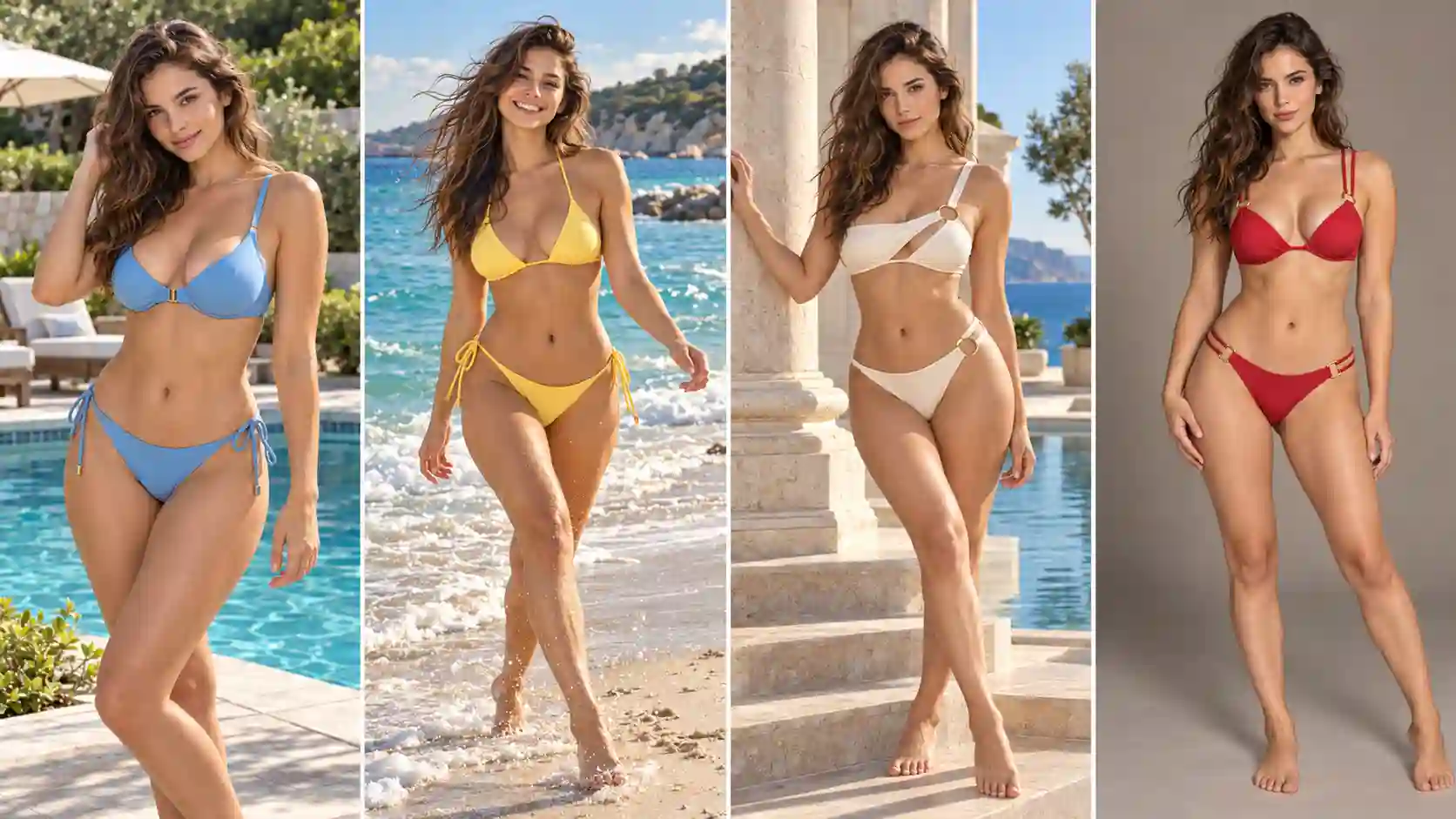
A natural beach photo prompt needs different direction from a studio campaign concept. Decide whether the image should feel personal, travel-focused, or carefully art-directed.
When testing settings, keep the same person and swimsuit references. Ask for the new environment and lighting while preserving the garment’s defining details.
Everyday Poolside Photo
For someone who prefers casual, approachable images, use an ordinary setting and a comfortable pose. Avoid filling the scene with luxury props.
Prompt:
Show the adult person from the reference wearing the same swimsuit, preserving its color, cut, and texture. Place them standing naturally beside a quiet outdoor pool, arms relaxed and expression easygoing. Use soft daylight, realistic shadows, and an eye-level three-quarter-length composition with a lightly detailed background. Give the image a casual personal-photo feel.
Vacation Beach Portrait
Let the location contribute to the picture. Include enough coastline to establish a sense of place without making the swimsuit difficult to see.
Prompt:
Preserve the adult person’s recognizable features and the referenced swimsuit. Place them on a pale sandy beach beside calm turquoise water, with a relaxed standing pose and a light breeze in the hair. Use late-afternoon side light, natural colors, and a full-body travel portrait with comfortable space around the subject.
High-End Resort Editorial
A refined image benefits from a controlled palette and a clear focal point. Architecture, light, and pose can create the effect without excessive accessories.
Prompt:
Create a swimwear editorial featuring the adult person and bikini from the references. Preserve the garment details. Place the person beside pale travertine steps and a still resort pool, in a relaxed upright pose with arms clear of the outfit. Use directional morning light, soft architectural shadows, restrained cream-and-blue surroundings, and an eye-level composition focused on the swimsuit.
Clean Studio Style Showcase
Choose studio framing when the goal is to inspect the design or build a cohesive lookbook concept.
Prompt:
Show the referenced adult person wearing the referenced swimsuit against a warm-gray seamless studio background. Preserve the bikini’s color, fabric appearance, straps, and hardware. Use soft even lighting, a natural front-facing standing pose, and full-body framing with headroom. Keep hands clear of the garment and show realistic seams and edges.
💡 Scene tip:
Describe the light direction, framing, and useful setting details before adding camera terminology. One coherent lighting setup is more helpful than conflicting requests for harsh midday sun and a soft sunset glow.
Common Bikini Prompt Problems and How to Fix Them
Fix the mismatch before adding more words.
Compare each result with your references and intended look. Identify the main issue, then adjust one thing at a time.
The color looks wrong.
Name the shade precisely, such as soft butter yellow or deep olive green. Reduce strong filters or lighting instructions that shift the color.
The fabric looks plastic or overly shiny.
Replace vague words like glossy with a specific finish: smooth matte fabric, subtle satin sheen, or fine metallic shimmer.
The texture or pattern is too large.
Specify the scale and direction, such as fine vertical ribbing or small tonal jacquard pattern. Use a clear garment reference when the texture matters.
Straps, rings, or waistlines change.
Ask the model to preserve those details from the swimsuit reference. Simplify other instructions and check where straps and hardware connect to the garment.
The person looks different.
Return to the original person photo and request recognizable facial features and natural body proportions. Reduce simultaneous changes to pose, camera angle, and lighting.
The swimsuit looks disconnected from the scene.
Request consistent light direction, color balance, and shadows across the person, garment, and background.
Hands or props hide the outfit.
Choose a relaxed pose with arms clear of the swimsuit. Remove unnecessary objects so the cut and details remain visible.
The prompt conflicts with the reference.
State exactly what should change and what should stay. If the desired design is substantially different, choose a closer swimsuit reference.
Keep a good result before adding complexity. If a color edit changes the straps, retry from the original references with a color-only instruction. Once the garment looks right, move on to the background or lighting.
Explore AI Bikini Try-On Guide
Create a Look That You Favorite
Choose a color, a fabric finish, and a cut that express your preferred style.
Start with a clear reference, make one deliberate change, and review the details before building a more elaborate scene.
Start Creating Your Bikini Look
AI Bikini Prompt FAQs
Should I Use a Bikini Reference Image or Describe the Style?
Use a reference when a particular cut, pattern, or hardware arrangement matters. Text is useful for explaining changes and setting the scene. Combining them gives you a clearer way to communicate both the base design and your intended variation.
Can I Change the Color Without Changing the Cut?
You can request a color-only edit while preserving the reference’s shape, straps, and coverage. Review the output, because small construction details may still change.
How Do I Make Shiny Fabric Look Realistic?
Describe the kind of shine: soft satin highlights or fine metallic sparkle. Keep the lighting coherent and avoid combining too many reflective finishes. Inspect seams and folds to see whether the material still reads as fabric.
Should I Write a Long Prompt or a Short One?
Use enough detail to resolve the important choices. A short color edit may need only a preservation instruction and a named shade. A new editorial scene needs more direction. Add detail where it removes ambiguity, then remove repeated or conflicting requests.