
This Halloween bikini guide helps you choose a look and preview it with AI. Use your own photo or an available adult model to explore outfits for a pool party, social post, or themed photoshoot.
TL;DR: Halloween AI Bikini Creation
Choose a mood first: playful pumpkin, elegant vampire, dreamy mermaid, or a bolder graphic look.
Build around a clear swimsuit reference and two or three recognizable accessories.
For useful comparisons, keep the person and framing similar while changing one styling choice.
Match the scene to your goal, then check straps, patterns, facial features, and lighting before saving.
Start AI Bikini Generator Online
Find Your Halloween Bikini Mood
Choose the mood before the details.
Start with how you want the image to feel:
Playful: pumpkin orange, warm lighting, and simple festive accessories.
Elegant: black or burgundy swimwear, refined jewelry, and a dramatic backdrop.
Dreamy: pearl finishes, ocean colors, and gentle reflected light.
Bold: graphic patterns, silver details, and a modern party setting.
Then consider the occasion.
A Halloween pool party outfit should be easy to picture wearing and moving in.
A fantasy photoshoot can use more elaborate surroundings and lighting.
Choose your swimwear cut for your preferred style and coverage, then build the character around it.
Try 6 Standout Halloween Bikini Looks
A few clear details make a memorable character.
Choose a Halloween bikini look based on the impression you want to make. Use the prompts with your adult portrait and swimsuit reference, adjusting one detail at a time.
Glam Vampire: Dark and Elegant
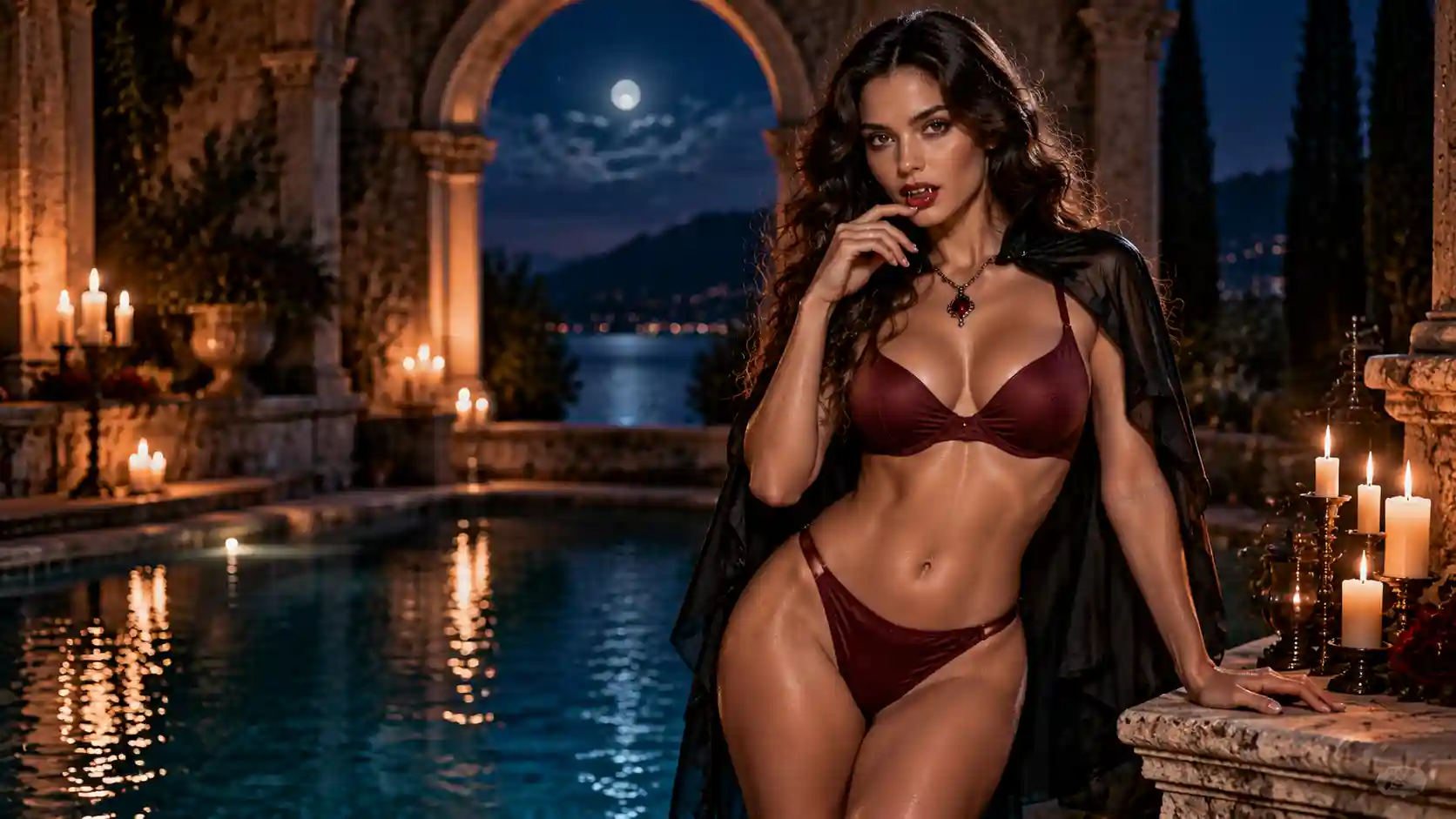
For a sophisticated evening look. Use restrained styling and a composed expression to create an elegant vampire character.
💡 Prompt Tip:
Define the cape’s length and position behind the shoulders. This helps frame the swimsuit while keeping its silhouette visible.
Prompt Example:
Use the bikini in deep burgundy. Add a short black capelet resting behind the shoulders and one antique-style necklace. Place the adult model on a refined stone terrace beside a pool, with warm candlelight, a visible swimsuit silhouette, and a calm, confident expression.
Poolside Witch: Sleek and Spellbinding
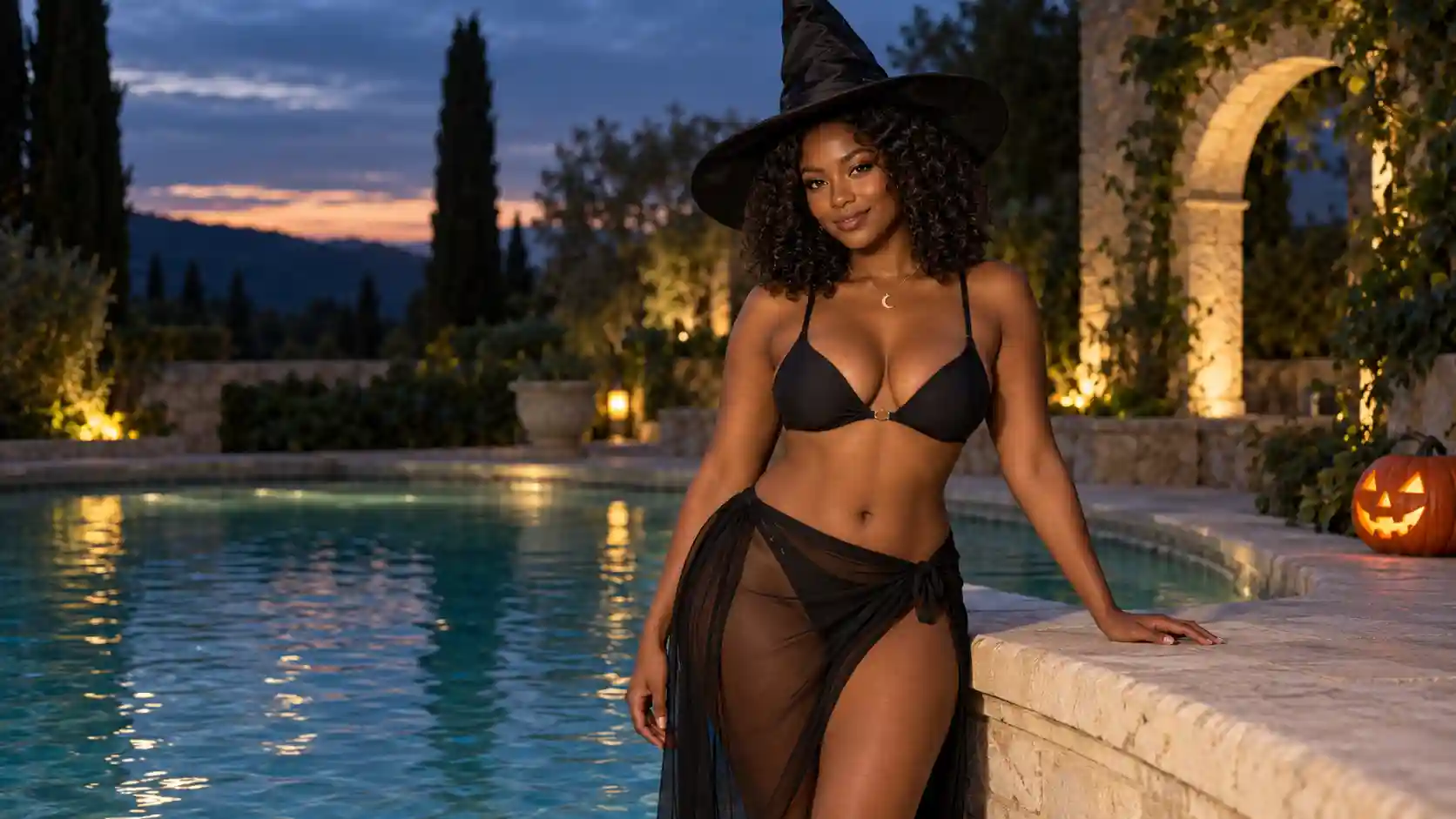
For an easy, recognizable costume. A strong choice when you want to transform a basic black bikini with minimal styling.
💡 Prompt Tip:
Specify the hat’s size and position. Add gentle highlights to keep black fabric visible in a nighttime scene.
Prompt Example:
Style the adult person in the reference black bikini, preserving its cut and strap placement. Add a proportionate pointed witch hat, a sheer wrap skirt, and a small moon pendant. Set the scene beside a pool at dusk, with warm pumpkin lanterns and soft light revealing the matte fabric.
Moonlit Mermaid: Soft and Luminous
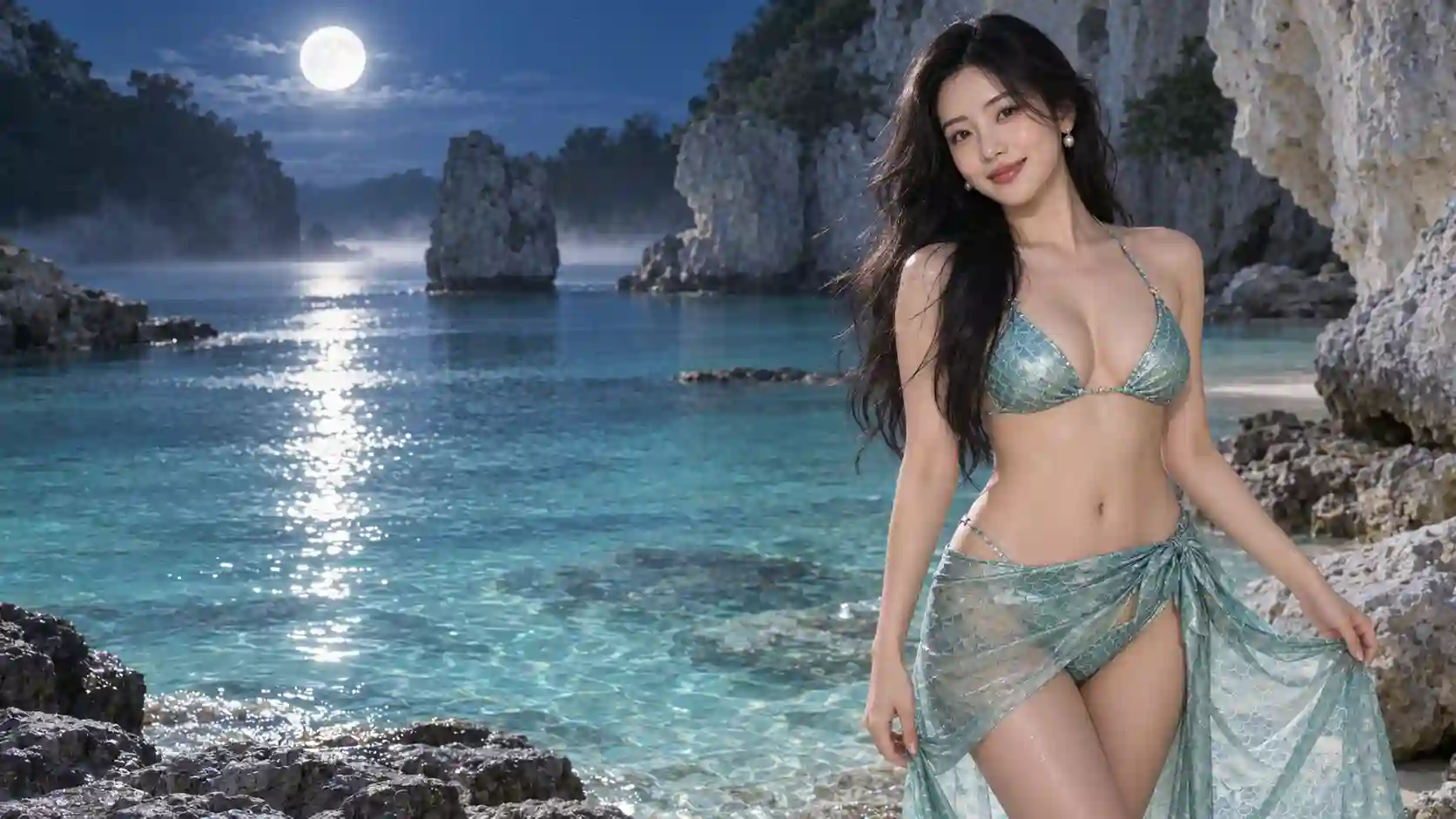
For dreamy vacation photos with a Halloween twist. Ocean-inspired details suggest a mermaid while keeping the outfit suitable for a swimwear image.
💡 Prompt Tip:
Describe the sheen as soft and pearlescent, and keep the scale print delicate. Specify flexible fabric to avoid a rigid, armor-like finish.
Prompt Example:
Render the bikini in sea green with a soft pearlescent finish and delicate scale print. Add small pearl earrings and a lightweight matching wrap skirt. Place the adult model beside a moonlit lagoon, with gentle reflected light, realistic skin texture, and soft, flexible swimsuit fabric.
Playful Pumpkin: Bright and Festive
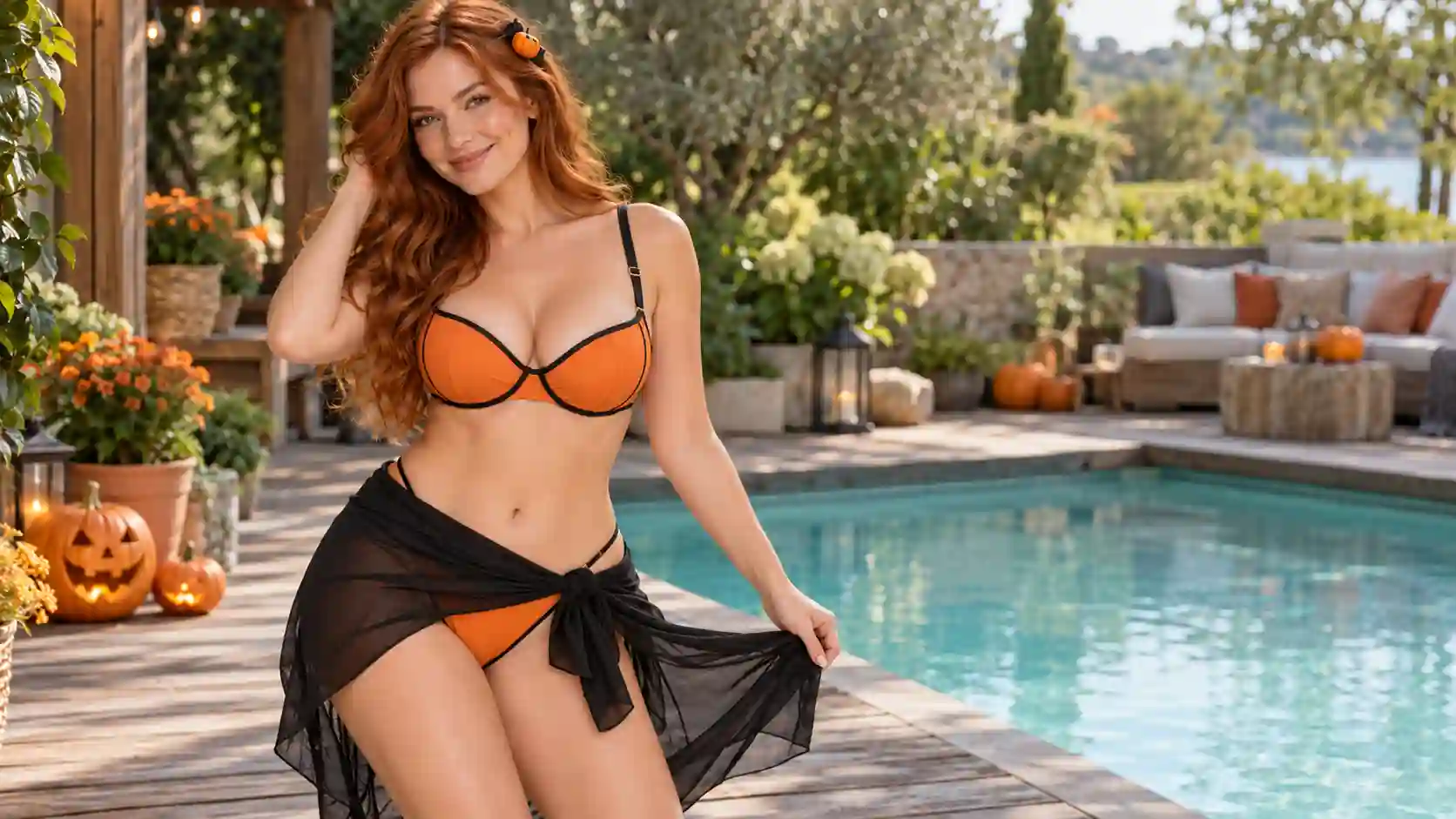
For a casual party or cheerful social post. Let the color carry the theme and use one playful accent to complete it.
💡 Prompt Tip:
Separate garment color from lighting: request pumpkin-orange fabric, balanced daylight, and natural skin tones to prevent an overall orange cast.
Prompt Example:
Change the bikini to pumpkin orange with neat black trim. Add a small pumpkin hair accessory and a simple black wrap skirt. Show the adult model at a relaxed Halloween pool party with a few pumpkin lanterns, natural skin tones, balanced daylight, and a friendly smile.
Spiderweb Chic: Graphic and Modern
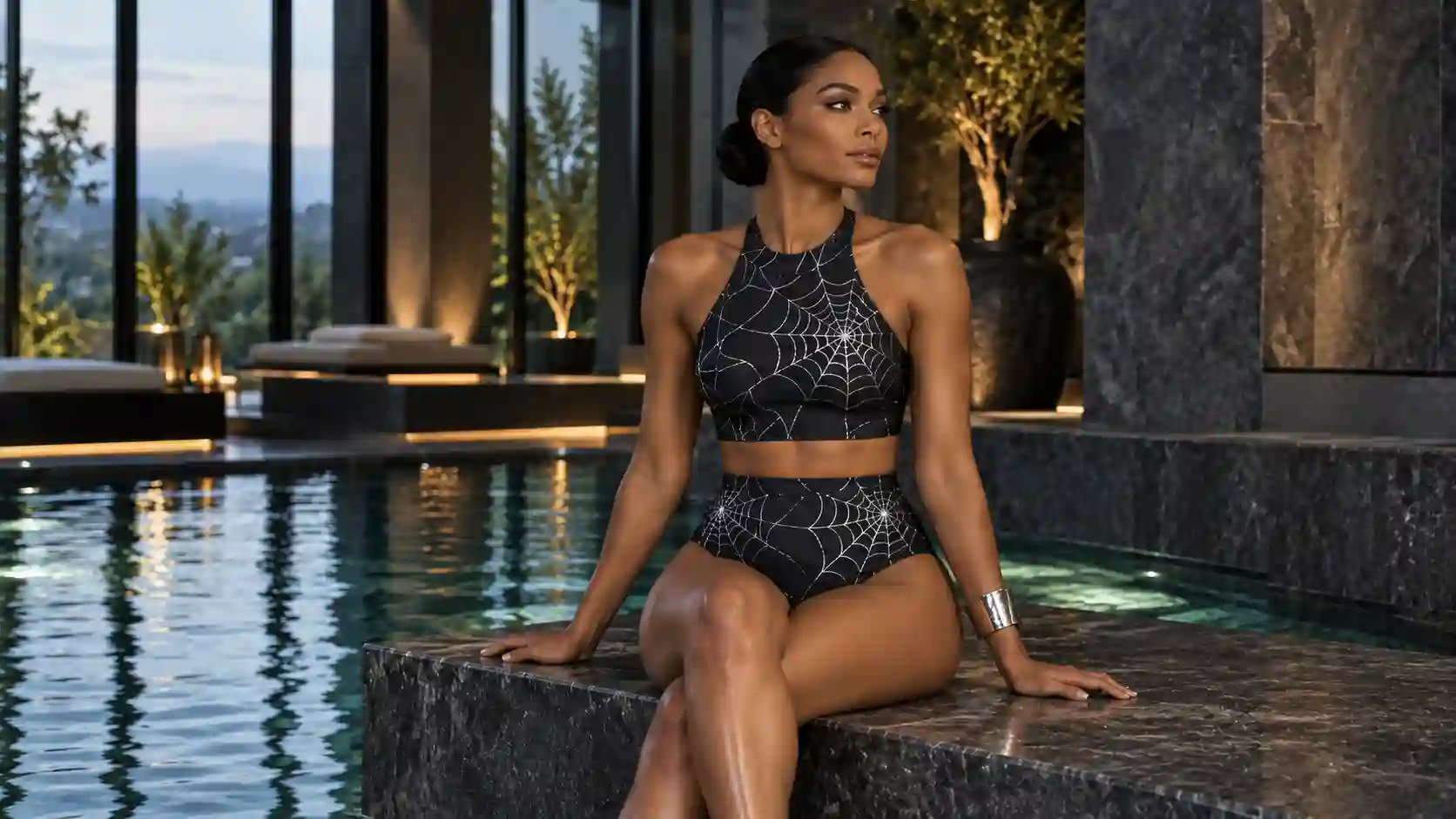
For a graphic look with a gothic edge. A focused pattern can give a simple swimsuit a distinctive Halloween identity.
💡 Prompt Tip:
Call the web a flat fabric print and preserve the reference straps. This reduces ambiguity between decorative lines and garment construction.
Prompt Example:
Keep the bikini’s shape and straps. Apply a fine silver spiderweb print flat on the black fabric, with no additional cords. Add one silver cuff. Place the adult model beside a modern rooftop pool at night, using soft side lighting to reveal the pattern and garment seams.
Cosmic Halloween: A Futuristic Twist
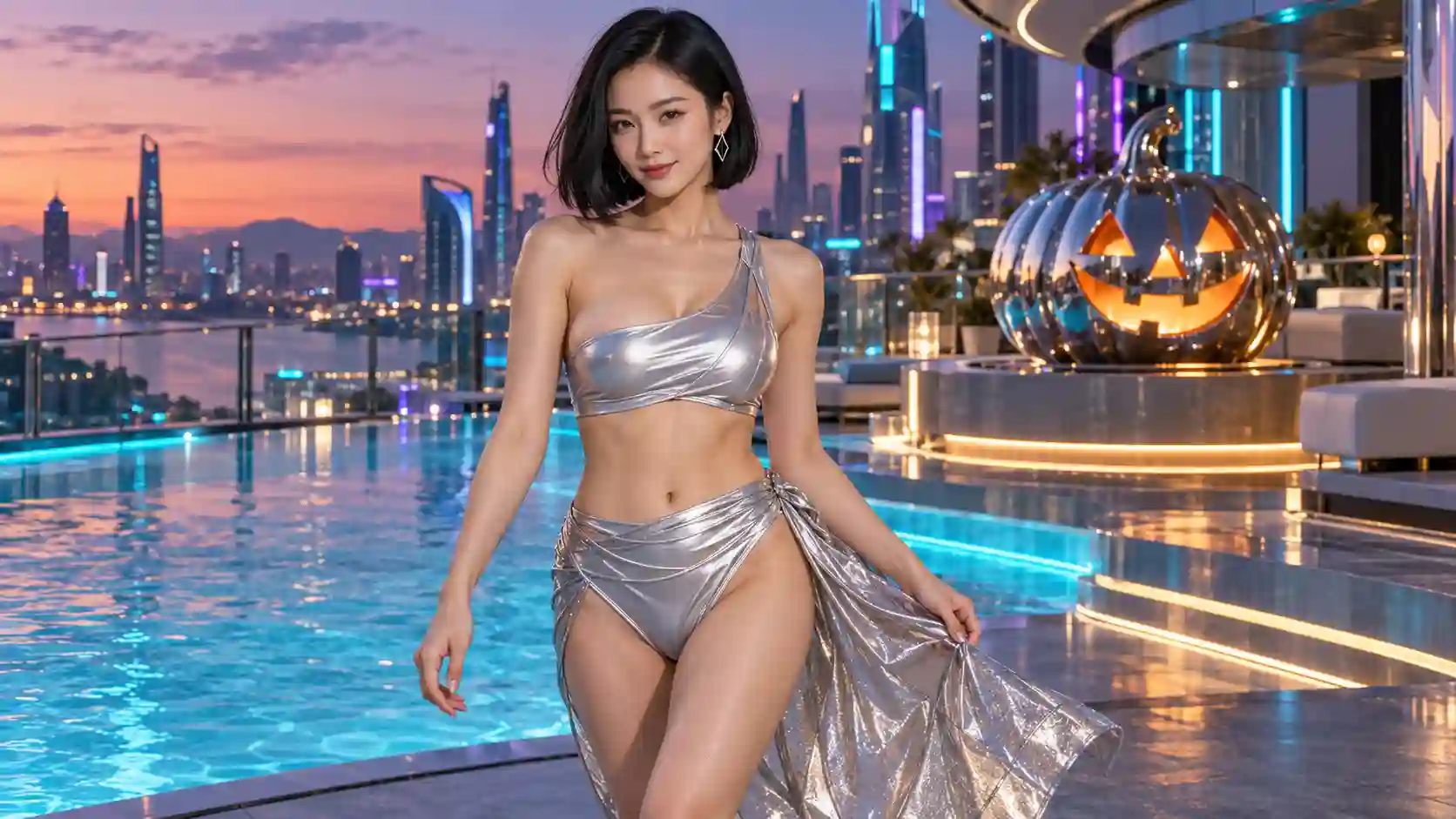
For a modern alternative to classic Halloween characters. Space-inspired styling suits a fashion-focused party image or a futuristic editorial.
💡 Prompt Tip:
Pair metallic color with soft folds and finished seams. Keep neon lighting in the background so it does not overwhelm the face or fabric.
Prompt Example:
Style the adult model in the bikini with a satin-silver finish, soft natural folds, and neatly finished seams. Add small geometric earrings and a metallic wrap skirt. Use a futuristic rooftop party setting with restrained cyan and violet accent lights and a clear, naturally lit face.
Create Your Halloween Bikini Look with AI
Start with a clear reference, then refine one choice.
The AI Bikini Generator lets you start with a photo or an available adult model, choose a swimsuit preset or reference, and add scene and style instructions.
Step 1: Choose a Clear Photo
Use a well-lit photo of a consenting adult with a clear face and an unobstructed view of the outfit area. A front-facing or slightly angled pose gives you a straightforward starting point. If you are exploring a concept, choose an available model.
Step 2: Set the Swimwear Reference
Select a preset or upload a swimsuit image you have permission to use.
Decide which details should stay: the cut, coverage, strap placement, hardware, or fabric. Avoid asking for a new neckline while also demanding an exact copy of the reference.
Step 3: Add a Focused Halloween Prompt
Use this order:
What to preserve → swimsuit details → accessories → setting → lighting.
Start with an instruction such as:
Preserve the adult person’s facial features, hairstyle, body proportions, and pose. Use the swimsuit reference for the bikini shape and strap placement.
Then add one of the styling prompts above. If you only want to compare costumes, ask to keep the existing background. If you want a themed photoshoot, describe the new setting explicitly.
Step 4: Generate, Check, and Adjust
Generate a preview and compare it with both references. Changing one detail at a time makes the next result easier to judge.
For the full upload workflow, see the AI Bikini Try-on Guide.
For broader fabric and color controls, read the AI Bikini Prompt Guide.
Set the Scene for Your Halloween Plans
Give the outfit a setting that supports its purpose.
The same costume can feel casual, glamorous, or fantastical depending on the background and light.
For Halloween bikini photo-shoot ideas, define the place, light source, and framing rather than relying on words such as “spooky” or “cinematic” alone.
Pool Party: Keep It Relaxed and Believable
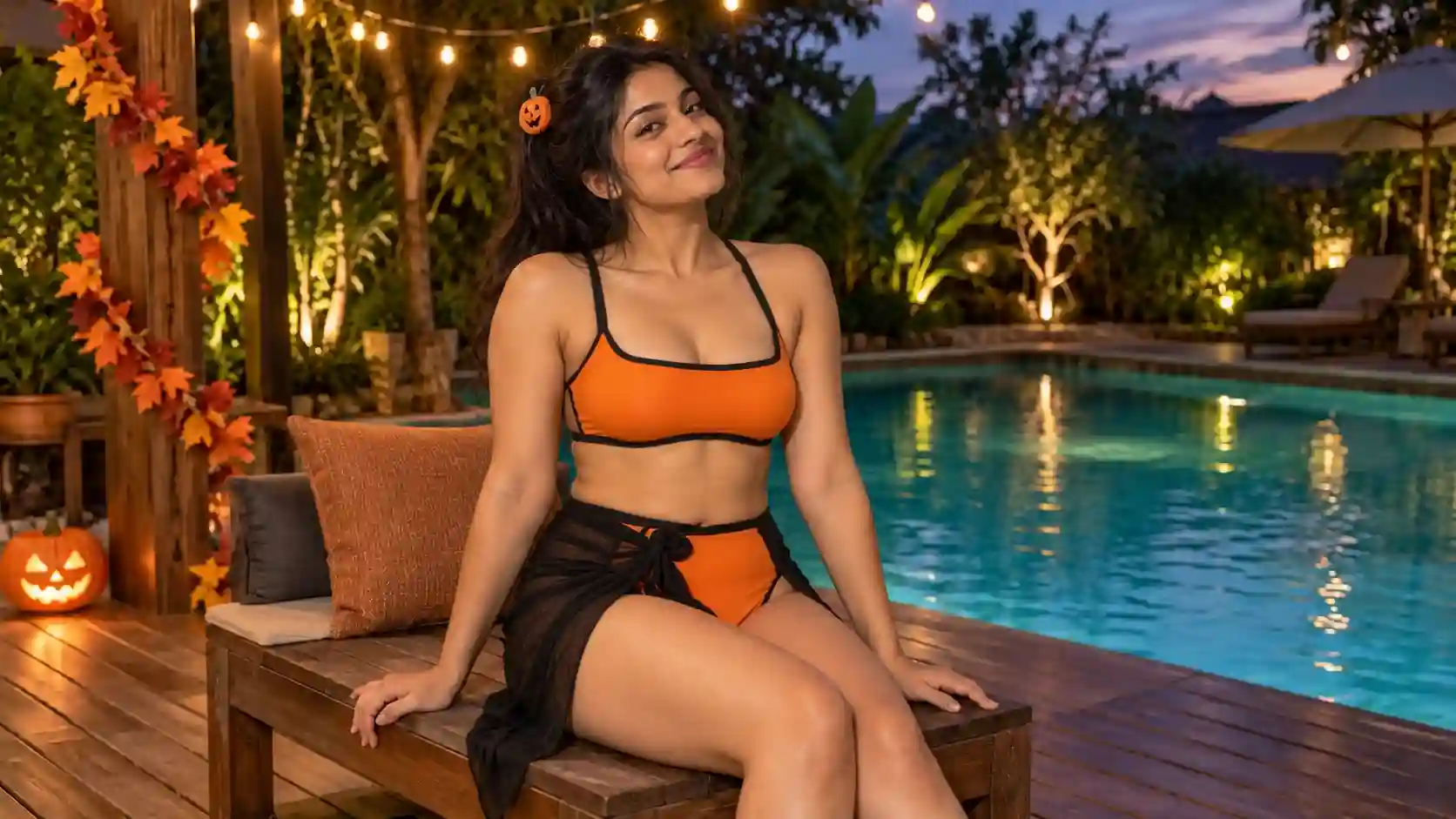
For Halloween pool party outfit ideas, use a recognizable pool deck, a few seasonal decorations, and space around the person.
A relaxed standing pose or a casual seat on a dry poolside bench can feel more natural than an elaborate fashion pose.
💡 Prompt Tip:
Name a practical light source: late-afternoon sun, pool lighting, or overhead string lights.
Limit decorations to a few clear elements, such as pumpkin lanterns and autumn garlands.
Keep accessories and swimsuit details visible so the preview helps with outfit planning.
Scene prompt:
Place the adult model on a spacious pool deck during a small Halloween gathering, with a relaxed standing pose, a few pumpkin lanterns, and soft late-afternoon sunlight. Keep the swimwear clearly visible and the background gently out of focus.
Social Photos: Build a Clear Focal Point
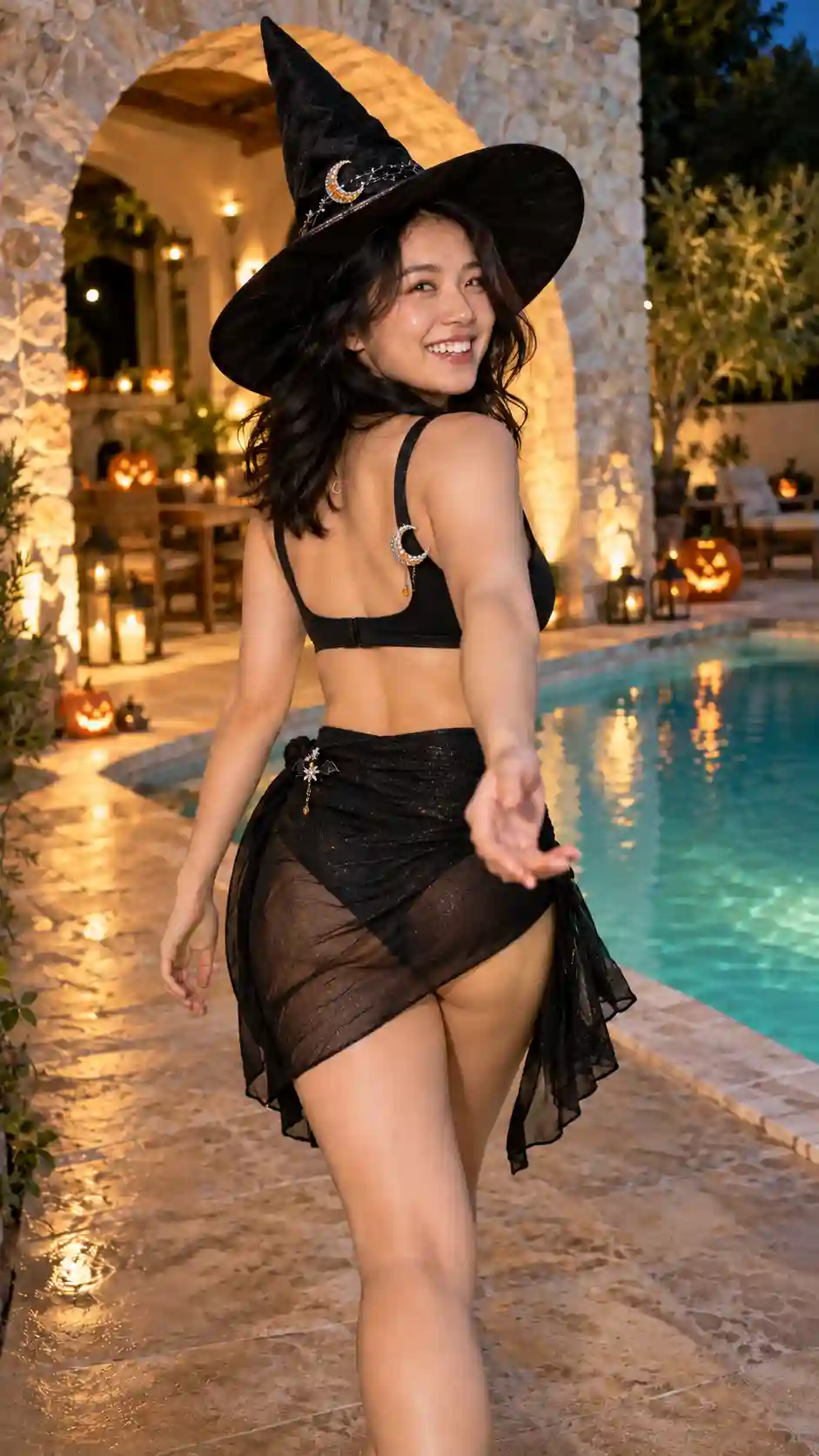
For a social post, the person and costume should read quickly on a small screen.
Choose one background feature, such as a softly lit arch or a pool reflecting violet light. Keep busy decorations away from the face and garment edges.
💡 Prompt Tip:
Request vertical framing for a portrait post or extra space for a later crop.
Include the hat, hair, and key accessories within the frame.
Specify a simple pose and one expression that matches the character.
Scene prompt:
Create a vertical fashion portrait of the adult model in the selected costume beside a softly lit pool. Use a confident, relaxed pose, a simple background, and enough space above the hat and around the body for cropping. Keep the face and outfit sharp, with no text.
Fantasy Editorial: Direct the Light and Mood
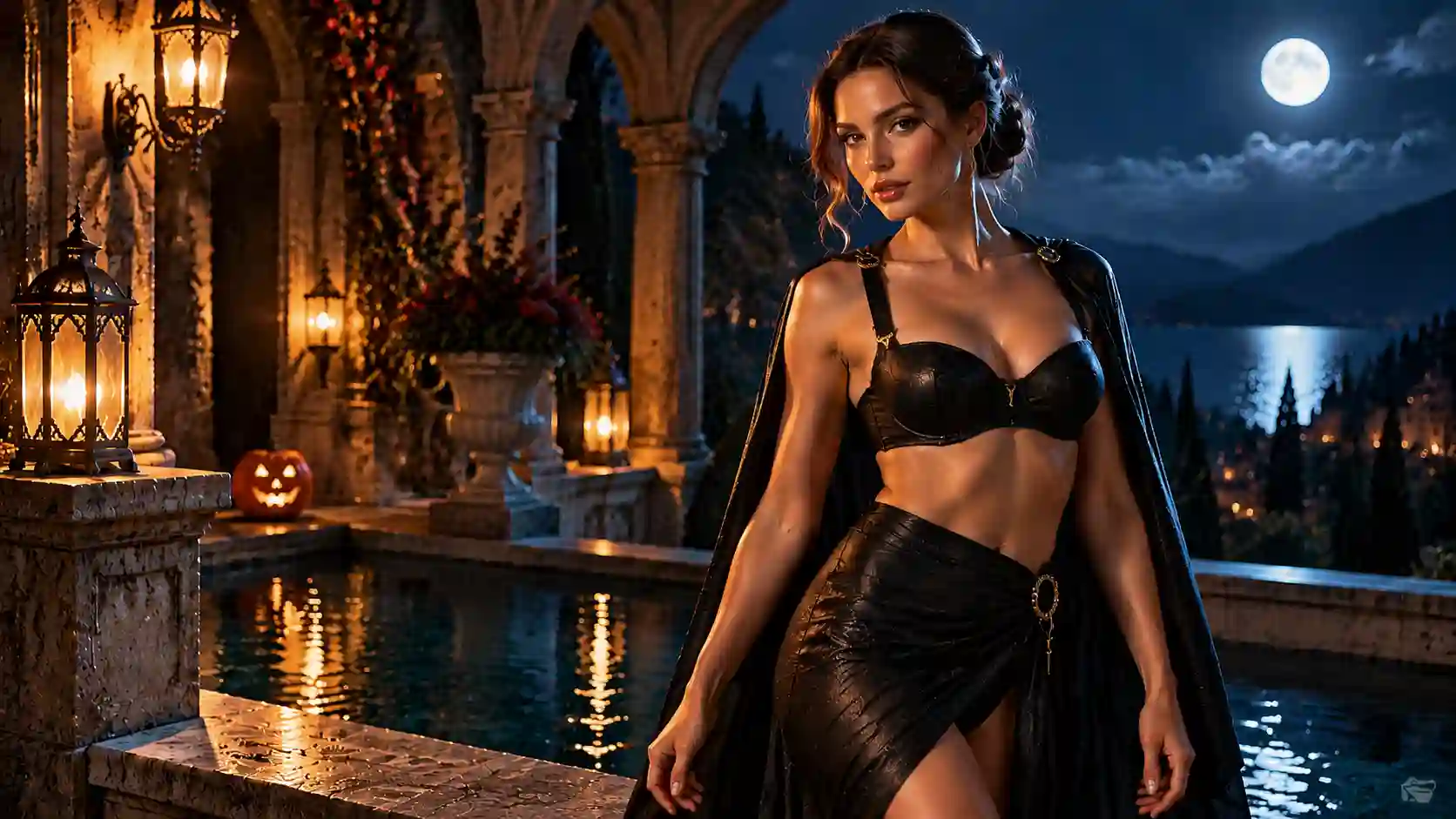
A vampire terrace, moonlit lagoon, or futuristic rooftop can turn the outfit into a fashion story.
Give the environment a clear visual role: stone arches frame the figure, water reflects light, or a neon accent separates the silhouette from the background.
💡 Prompt Tip:
Choose one main light and one supporting accent.
Describe where the light falls, especially on dark fabric.
Use a restrained palette so the costume remains the focus.
Scene prompt:
Place the adult model in the outfit on a gothic terrace overlooking a dark pool. Use warm lantern light from the left to illuminate the face and fabric, with a faint cool rim light separating the silhouette from the stone arches. Keep the background atmospheric and the garment details readable.
To compare moods, reuse one completed outfit in two settings. Keep the framing similar and change only the scene and lighting. You will see whether the look works better as a natural party photo or a dramatic editorial image.
Fix the Details That Break the Look
Correct the distracting detail first.
Straps or rings are misplaced:
Simplify the accessories and ask to match the swimsuit reference’s strap connections and hardware placement.
Black fabric disappears:
Request gentle side lighting and visible seams, keeping the nighttime atmosphere.
The web print becomes extra straps:
Specify a flat printed pattern, with no additional cords or cutouts.
The outfit looks crowded:
Remove secondary props and keep two or three recognizable character details.
The person’s appearance changes:
Reuse the same portrait and restate the facial features, hairstyle, and proportions to preserve.
Metallic fabric looks rigid:
Ask for soft swimwear fabric, subtle folds, and controlled highlights.
Treat each generation as a preview. Check the face, hands, clothing edges, and reference details before downloading or publishing.
Create Your Own Halloween Bikini Look
Choose a character and make it your own.
Start with one swimsuit and your favorite Halloween mood.
Preview a few accessory combinations, then choose a setting that suits your plans.
Open AI Bikini Generator to turn your idea into a personalized image.
Try AI Bikini Generator Online
Halloween AI Bikini FAQs
Can I use a bikini I already own?
Yes. Upload a clear swimsuit reference you have permission to use, then describe the accessories and setting. Review the result because generated straps, patterns, and other details can vary.
Can I try a Halloween look without uploading my own photo?
Yes. Start with one of the available adult models to explore the styling before deciding whether to use your own photo.
Can I use a one-piece swimsuit instead?
Yes. A black one-piece can support witch or vampire styling, while a pearlescent one-piece can anchor a mermaid look. Apply the same approach to accessories, lighting, and background.
Can I swim in the accessories shown in the image?
An AI image does not establish whether an accessory is suitable for swimming. Check the real items and pool rules. Keep loose capes, elaborate jewelry, and costume props for photos or activities away from the water.
Will the preview show how the swimsuit actually fits?
The image is a styling visualization, not a fit measurement. Check the real swimsuit’s sizing, construction, support, and coverage separately.